
Create
Video Director
Think in shots. Give each moment its own direction.
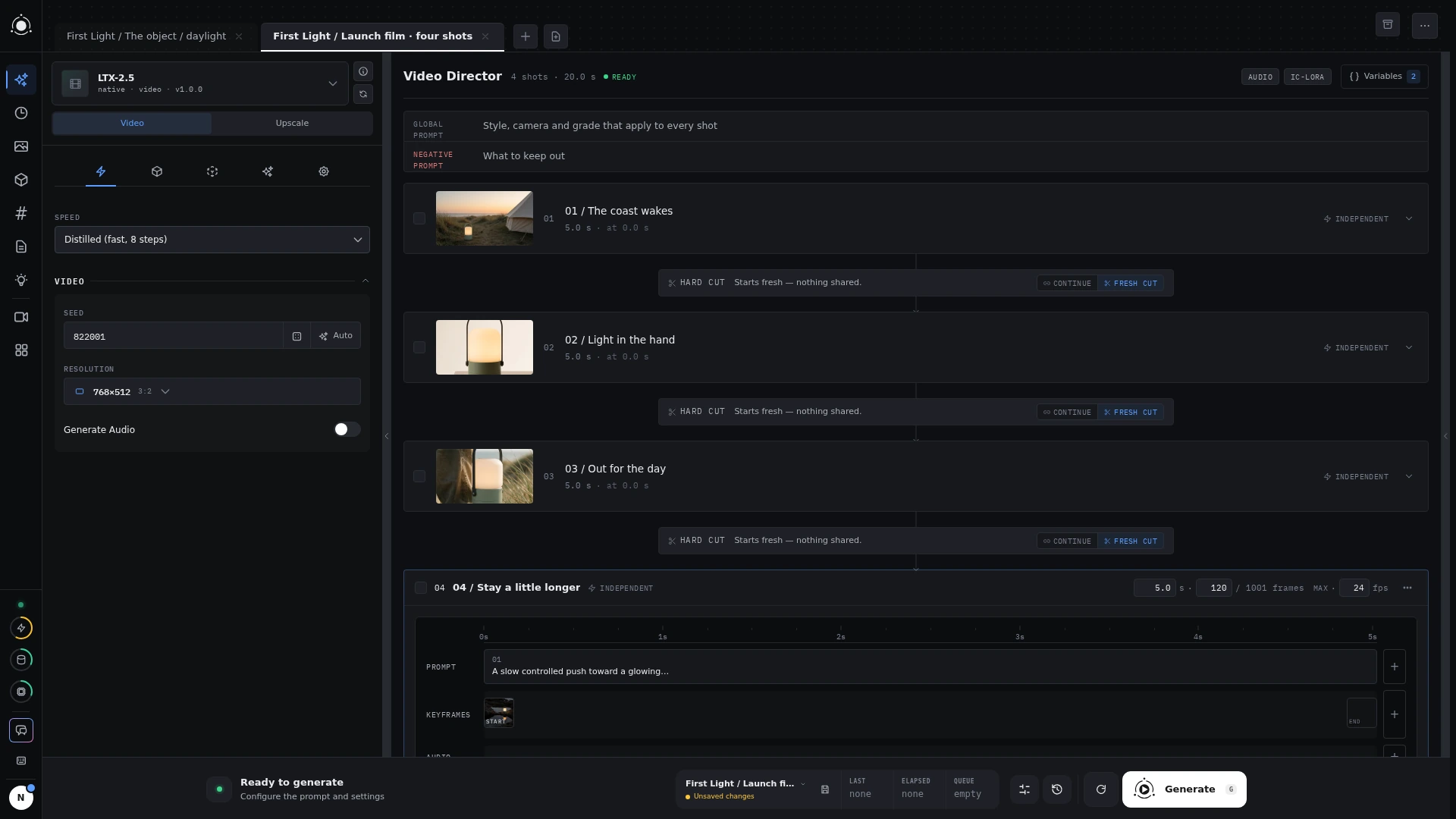 Video Director
Choose how a clip begins
Compatible native video presets can offer text-to-video, image-to-video, first-and-last-frame, and Director modes. Use a written brief, a starting image, or a pair of frames as your starting point. The selected preset determines which modes and controls appear.
Build the direction
Use the familiar segment editor for global direction and individual beats. In a timeline-style preset such as LTX, each shot has its own duration, timed prompts, and supported keyframe or audio inputs. Shots generate separately in order.
Chain-style presets such as Wan connect sequential segments using a tail-frame handoff. A continuation in the LTX editor instead uses the previous shot’s rendered output as a starting frame; that output needs to exist before the next shot can run.
Keyframes, audio, reference conditioning, and duration limits vary by model. LTX and MiniMax-H3 integrations are experimental. Check the model guide before planning a render.