
Compose
Prompts & segments
Build an idea in pieces. Keep the pieces that work.
Four related tools
The Prompts workspace contains four libraries. They share the same rich segment format, including text, phrasebook chips, enabled state, and optional names, colors, and descriptions.
- Prompts
- Complete ordered compositions. Save a finished product brief or a negative prompt for another generation.
- Segments
- Single named, categorized cards. Reuse a character description or a lighting direction by replacing one editor card.
- Segment Templates
- Ordered sets of slots, with optional starter content. Start a new brief with subject, setting, lighting, and camera cards already arranged.
- Segment Categories
- Names and colors that organize saved Segments, such as Product, Lighting, or Camera.
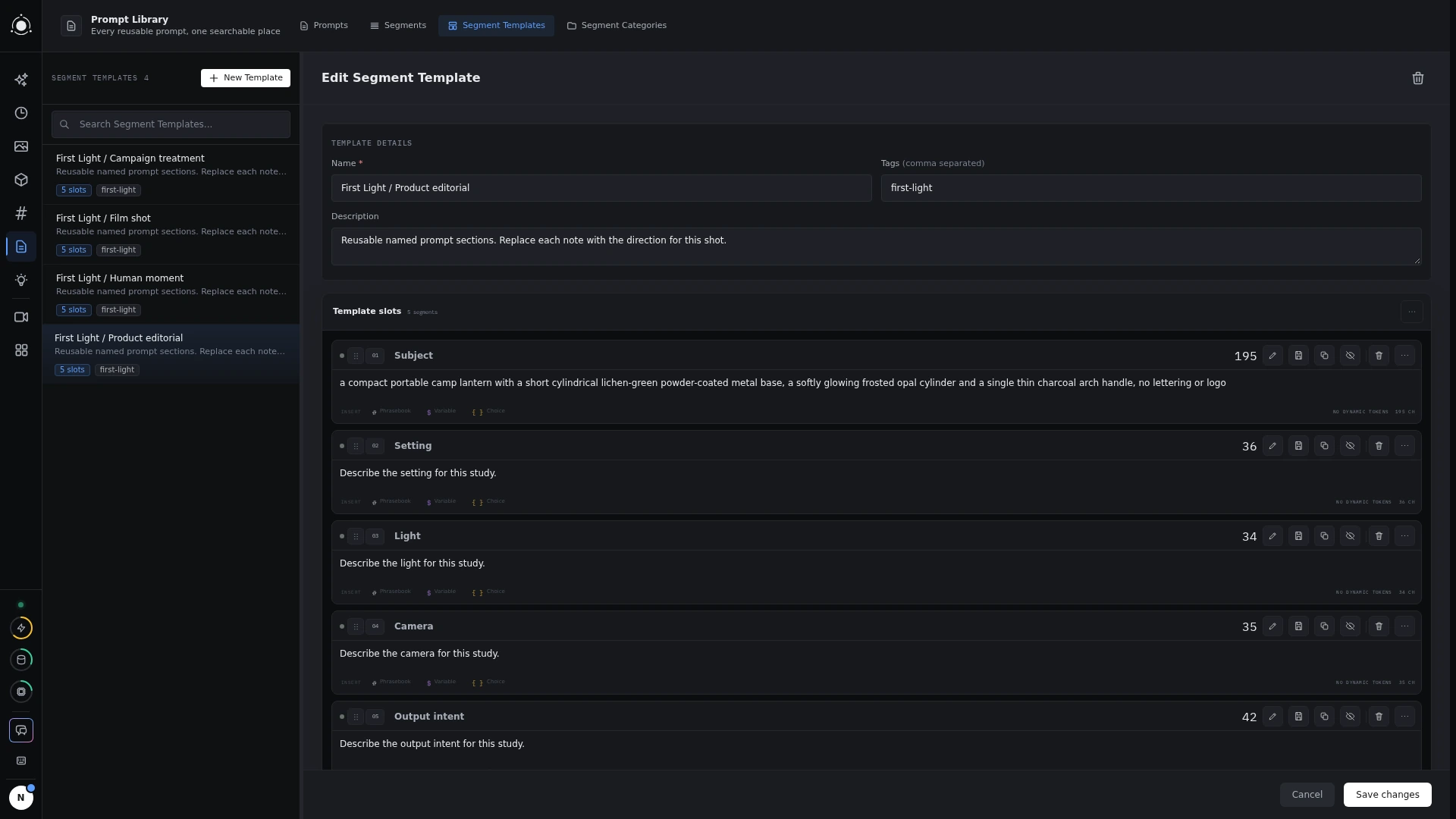 Segment Templates
Save and apply a composition
Use Save as Prompt on a whole list or Save as Segment on one card. When applying a Prompt or Template, choose Append, Prepend, or Replace. Replacing meaningful content asks for confirmation.
Inserted cards are independent copies. Editing them doesn’t update the saved item. Applying a library item changes only the prompt list you target; use a session to preserve the preset, mode, and form as well.
Arrange the idea
Reorder, duplicate, or disable cards as you refine a prompt. Collapsing a card only folds the editor; disabling excludes it from the generated prompt. Positive and negative lists remain independent.