
Make it yours
Automations
Set up the routine around the creative work.
Connect a trigger to an action
The visual automation editor connects triggers through conditions to actions. Triggers can include a schedule, a manual run, a file watcher, GPU memory thresholds, or application events. Actions can organize results, assign resources, index models, control backends, or send notifications.
TriggerFile added→ActionIndex models→ActionNotify in app
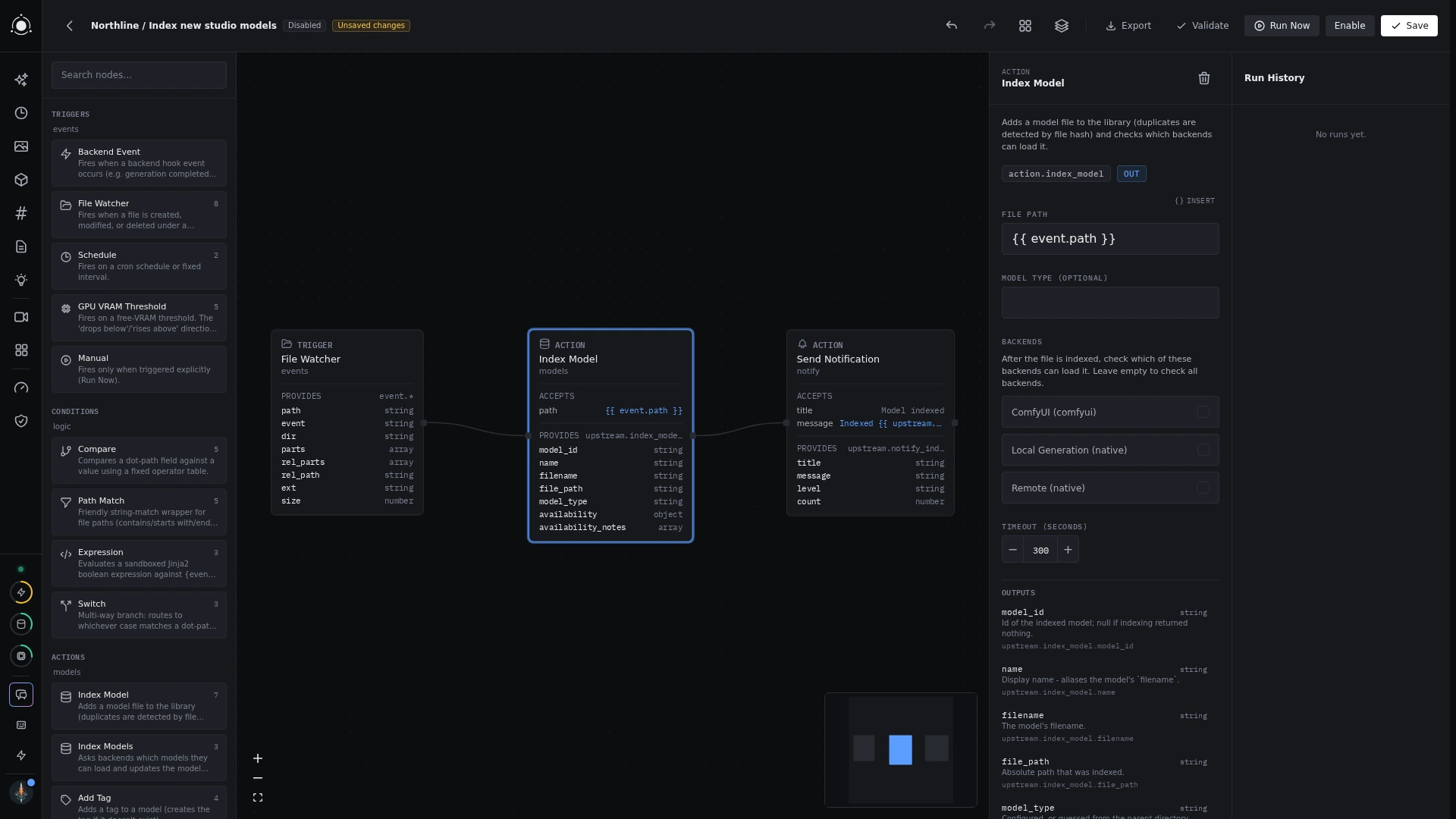 The automation editor
Configure, then inspect
Start from a template or build a graph. Configure each node’s inputs and conditions before enabling it. Use execution history and logs to understand what ran and where a step failed. Automations can be exported and imported as JSON; plugins can contribute more templates.