
Organize
History & collections
The result is only half the story. Keep its recipe, too.
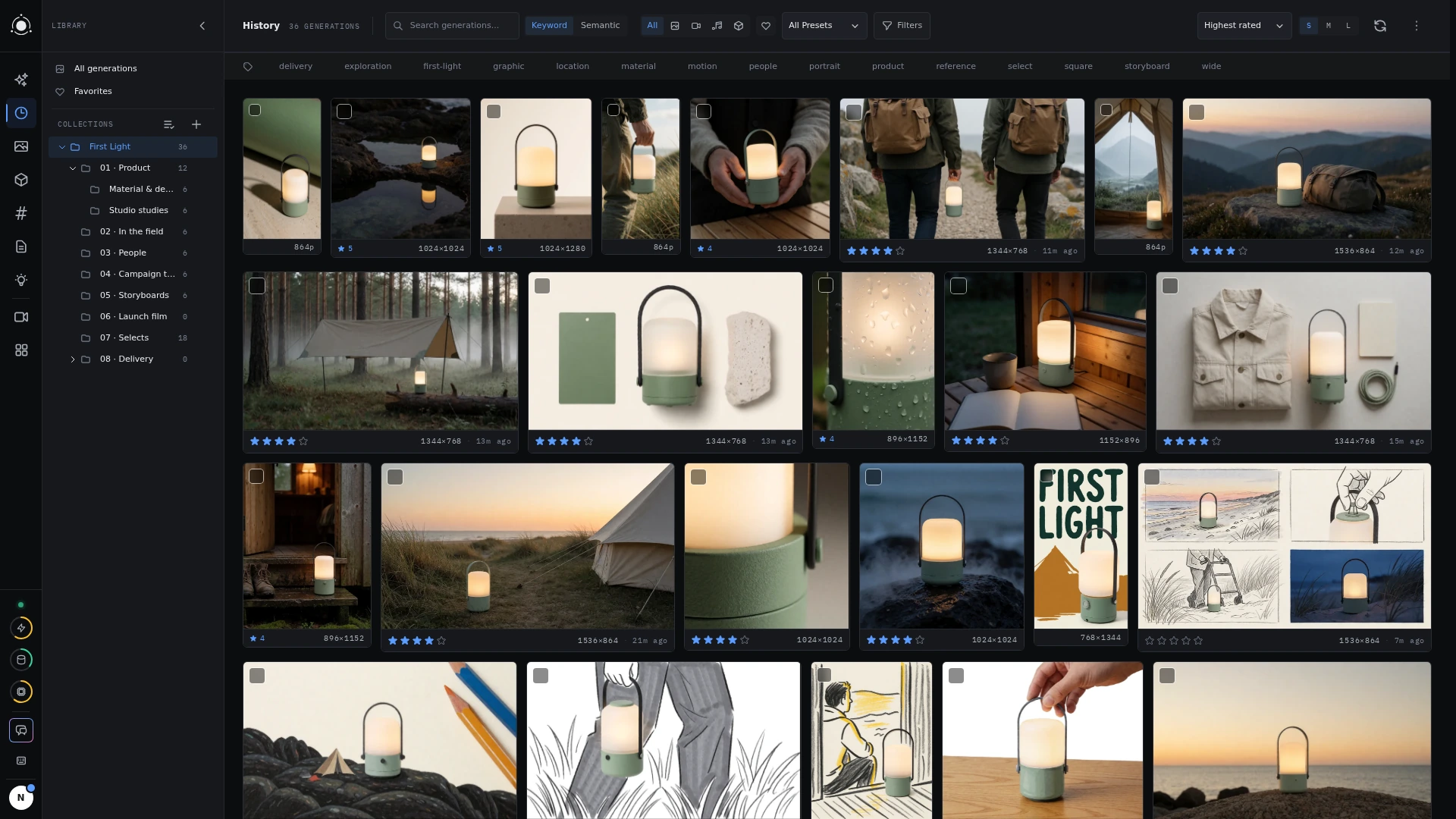 History and project collections
Find the right run
History automatically records generations. Search prompt text and narrow by date, media type, status, preset, mode, or model. Phrasebook filtering helps find runs that used a particular saved value.
Use tags for labels that cross projects, such as “select” or “needs review.” Use collections to gather related work into a project structure. Combine filters to find a particular direction without paging through every experiment.
Recover the recipe
Open a generation’s details to inspect the recorded prompt composition, resolved phrasebook values, seed, dimensions, preset version, model files, and parameters. Reuse that setup as a starting point for another variation.
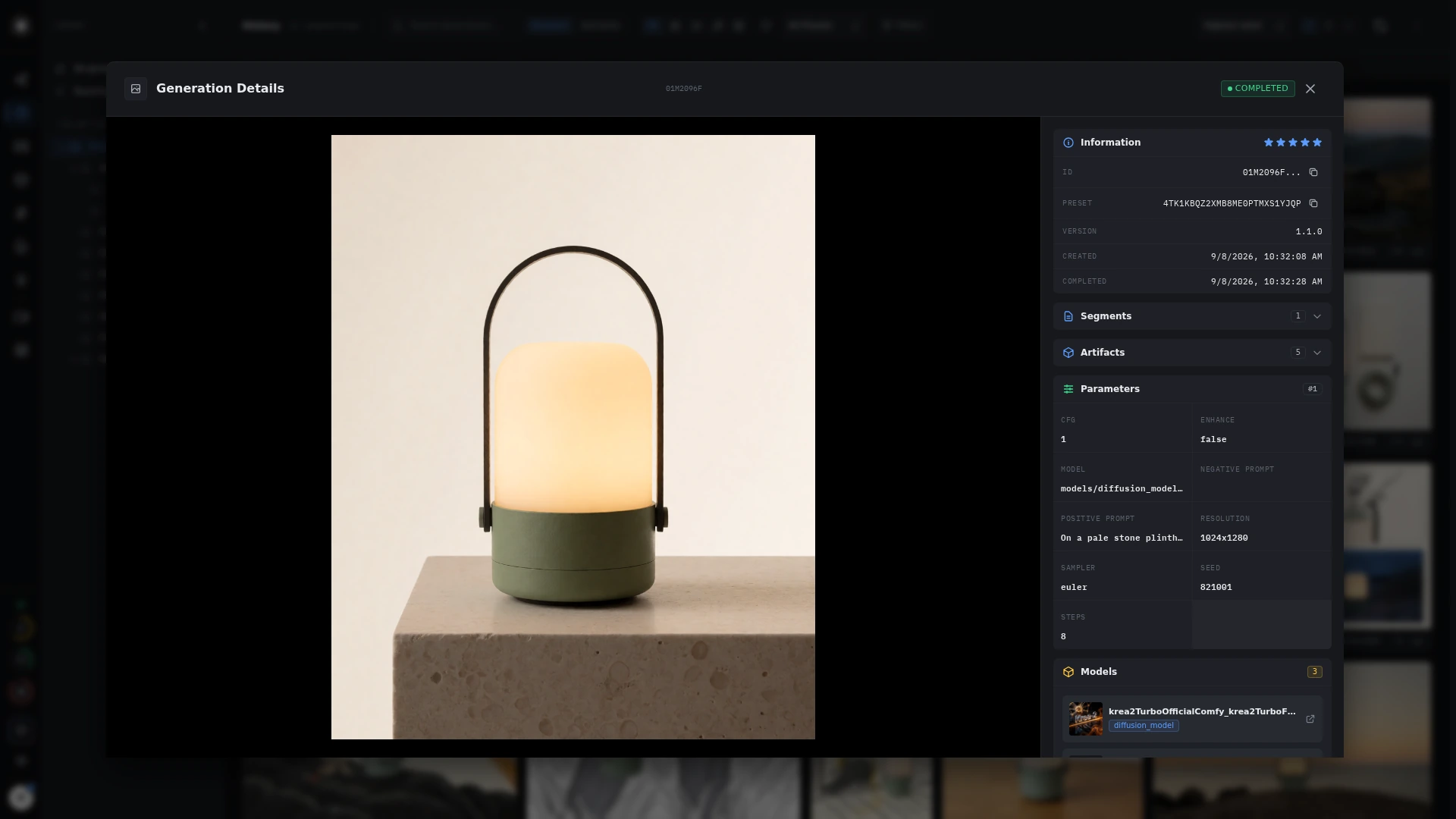 Generation details
Keep the useful work
Select results for bulk tagging or cleanup. Deleting generations is permanent and asks for confirmation. Check the selection and filters before confirming, especially when deleting by tag.